MSC for Me
- 4.7
- Rating
- 1.00M
- Installs
- Free
- Price

 Analysis by App-foxy
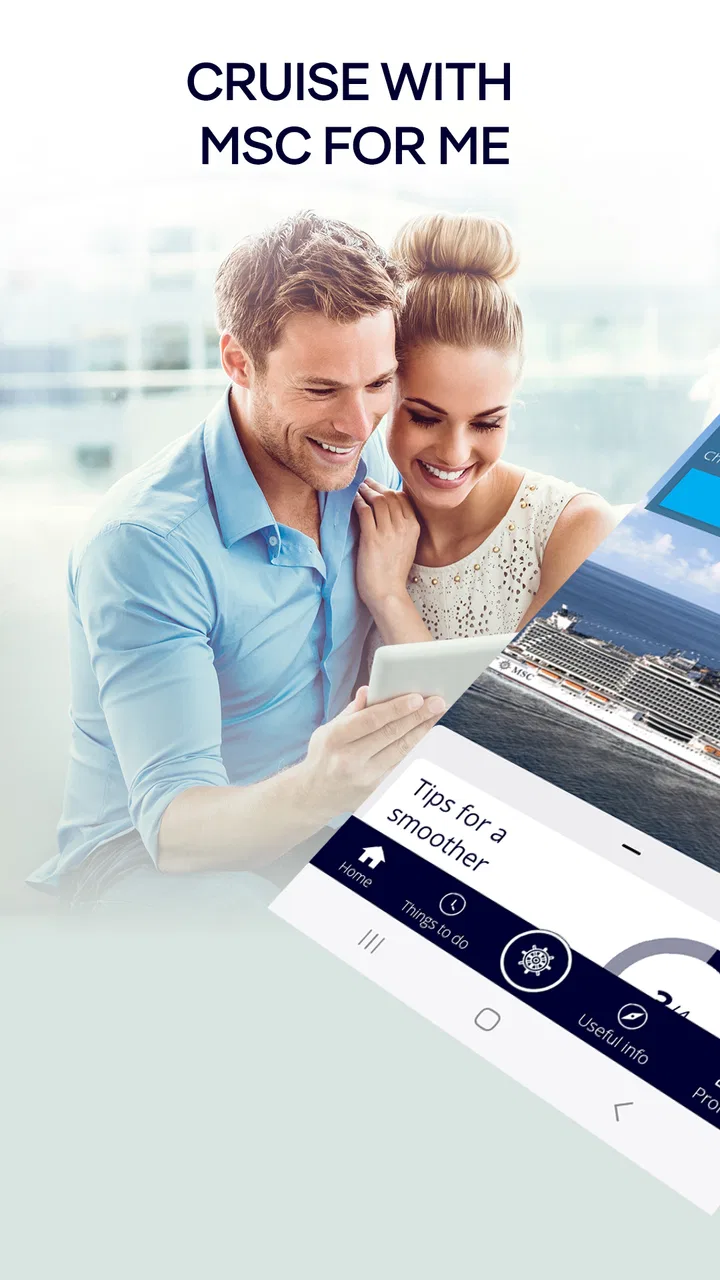
If you are taking an MSC cruise, I would install MSC for Me before boarding rather than treating it as something to explore only after the ship leaves port. This free Travel & Local app is designed by MSC Cruises S.A. to put cruise information, planning tools, and onboard services in one place. In my experience, its real value is not a single spectacular feature; it is the way it can reduce small bits of friction during a trip that already involves schedules, reservations, family coordination, and unfamiliar surroundings.
The app is available to everyone in terms of its age rating, and its popularity is easy to understand: it has passed one million installs, with an average rating of 4.6 from roughly forty-one thousand ratings. Those figures do not make it perfect, but they suggest that it has become a familiar companion for many MSC passengers. I see it as a practical cruise companion rather than a complete travel planner. It works best when you use it as a daily dashboard for your sailing, not as a replacement for every conversation with crew members or every document you may need during the journey.
How I would use it from booking preparation to the first day onboard
My baseline workflow would start before leaving home. I would install the app, sign in with the cruise details it requests, and give myself time to look through the available sections while I still have a reliable internet connection. That first inspection matters because cruise apps can feel confusing when you are standing in a terminal, carrying luggage, and trying to keep track of travel companions. A calm setup at home lets you recognize the main areas before they become useful.
You May Also Like

 Blood Strike: 2.5 Anniversary
Blood Strike’s Loadouts Turn Every Drop Into a Tactical Gamble
A close look at Blood Strike’s custom loadouts: how fast access to signature weapons reshapes its battle royale rhythm, rewards preparation, and narrows the gap between fights.

 Pandora - Music & Podcasts
Pandora’s Music Is Easy to Start, but Harder to Recover
Pandora’s strength is its low-effort path from a seed to a station. Its weak spot is how much confidence it asks you to place in connection, setup, and quiet recovery.

 8 Ball Pool
 Is Built on Rivalries, Rematches, and Routine
A close look at the rivalries, rematches, shared routines, and unanswered safety questions that turn a quick pool match into a persistent mobile community.

 Samsung Music
’s Quiet Strength Is Playing What You Already Own
Its reach comes less from spectacle than from dependable access to a personal library. That simplicity is both the app’s strongest retention engine and its ceiling.

 AccuWeather: Weather Radar
AccuWeather Review: A Quick, Clear Forecast for Everyday Decisions
For everyday plans, the best forecast is the one you can understand quickly. AccuWeather makes rain timing, radar, and local conditions easy to act on, with a few trade-offs.

 Hill Climb Racing
Why Hill Climb Racing Still Turns Crashes Into One More Run
A tiny car, a bumpy hill and one more upgrade: Hill Climb Racing keeps resurfacing because its simple chaos makes every near-miss feel personal.
More From Our News Desk



Once the sailing is connected, I would use the app to get familiar with the journey rather than repeatedly opening it without a purpose. I would check the itinerary, look for activities or services relevant to my trip, and note anything that may require advance attention. The exact options can depend on the sailing and the ship, so I would not assume that every passenger sees an identical menu. The useful habit is to treat the app as the place where I first look for current cruise-specific information.
On embarkation day, the app becomes more valuable as a reference point. A cruise ship is a busy environment, and plans change quickly when people are arriving, unpacking, eating, and trying to understand the layout. I would keep the app available for checking what is happening next and for orienting myself to the services connected with the sailing. That saves me from relying entirely on printed material or trying to remember a conversation made several hours earlier.
A realistic example would be a family deciding what to do after lunch. One person wants a quiet break, another wants an activity, and a child is asking about the next event. Instead of walking around the ship to search for an answer, I would open the app and use the available schedule and onboard information to make a decision. It may not eliminate every question, but it can turn an aimless search into a quick comparison of the options visible for that day.
I also like the idea of using it as a shared planning reference. If one traveler is handling reservations while another is keeping track of the daily rhythm, both people can look at the same cruise-focused information instead of maintaining separate notes. That is especially helpful when a group splits up. The app will not solve disagreements about what everyone wants to do, but it gives the conversation a common starting point.
There is one important expectation to set early: this is not a general-purpose travel app. It is not the tool I would choose for comparing flights, finding independent restaurants in a port city, or building a multi-city holiday itinerary. Its strength begins when the MSC cruise itself becomes the center of the trip. For independent shore planning, a map app, local guide, or booking service may be more flexible.
Settings and preparation that are worth checking
I would spend a few minutes reviewing the app’s account and notification settings before the cruise gets busy. The point is not to turn on every alert automatically. It is to decide which reminders could genuinely help and which ones might become noise. If I am traveling with family, I want timely information about the cruise day, but I would still prefer a phone that is not constantly interrupting dinner, a show, or a quiet afternoon.
It is also sensible to check that the correct sailing and passenger details are connected. A cruise app is only useful when it is showing the right journey. I would verify the itinerary and the visible booking context before depending on it for planning. This is a small step, but it is one of the most practical habits for avoiding confusion when several people in a household have different reservations or when a traveler has used more than one account.
Before boarding, I would open the important screens once while online. I would not assume that every part of the experience will behave identically without a connection, and I would keep essential travel documents available through the official channels where they belong. The app is a convenience layer; it should not be the only place I keep information needed for embarkation or transportation.
Another useful preparation step is deciding who in the group will manage which tasks. One person can watch activities, another can check dining or service options, and a third can keep an eye on the itinerary. This avoids the common situation where everyone assumes someone else has checked the schedule. The app works better when it supports a simple routine instead of becoming a place where every traveler searches randomly.
I would also make sure the phone itself is ready. A cruise day can involve long periods away from a charger, frequent photographs, and many other apps running in the background. Keeping the device charged and allowing the app to function normally is more useful than obsessing over settings inside the app alone. I would avoid changing permissions casually, but I would pay attention to any access the app clearly needs for the functions I intend to use.
The current version is 5.4.11 and the minimum operating system is version 10. That makes checking device compatibility a sensible step before departure, particularly if an older phone is being used as the family’s shared travel device. I would update it before the trip rather than waiting until the terminal. Updates are easier to handle at home, where the connection is stable and there is time to sign in again if required.
Faster patterns for busy cruise days
After the first day, I would stop browsing every section and build a repeatable checking pattern. For me, that would mean looking at the app at the start of the day, again before making afternoon plans, and once more before evening activities. The exact timing is less important than having a rhythm. A quick routine is easier to maintain than trying to remember every event from a long schedule.
One of the better habits is checking before walking to a venue. Cruise ships are large, and a last-minute change can make a long walk unnecessary. I would confirm the current information shortly before leaving, especially when the activity is important to the group. This is a small but non-obvious advantage: the app is most useful when it influences the next decision, not when it is used only as a historical record of what was planned earlier.
For reservations or paid services, I would use the app as an early planning aid and then review the final details carefully. I would look at the selected day, time, and participants before confirming anything. If a service has terms or costs displayed during the process, I would read them rather than tapping through quickly. A convenient interface can make it easy to act quickly, but convenience is not a reason to skip the details of a booking.
When traveling with children or older relatives, I would make the schedule less ambitious than the app may make possible. Seeing several activities in one place can encourage overplanning. I would choose a few priorities and leave room for meals, rest, queues, and unexpected changes. The app helps me see the possibilities; it does not know how tired my group will be after a port day.
I would also use screenshots or written notes only as backups, not as substitutes for checking current information. A saved image can be useful when I am moving between parts of the ship, but it can become outdated. My faster pattern would be to save only the details I need for immediate navigation and return to the app when the next decision matters. That balances convenience with the possibility that schedules or availability may change.
For a couple traveling without children, the app can support a lighter routine. I might check the day’s activities over breakfast, reserve or investigate anything that needs attention, and then leave the phone alone. For a large group, the same app becomes more of a coordination tool. The trade-off is that more people may be making decisions at once, so agreeing on a simple plan outside the app is still necessary.
Where the app is strong, and where its limits become visible
The strongest part of MSC for Me is its focus. Because it is tied to the MSC cruise experience, it can be more immediately relevant onboard than a generic calendar, notes app, or ordinary trip organizer. Those alternatives are excellent for personal planning, but they do not naturally understand the relationship between a sailing, its daily program, and the services offered on that ship. I would use a general calendar to remember flights or airport transfers, while using this app for the cruise-specific layer.
That focus also creates the main limitation. If I want broad travel research, independent recommendations, or a flexible itinerary that continues after the cruise, I would choose another tool. The app is not meant to be a neutral marketplace for every port activity or a universal destination guide. A traveler who prefers arranging everything independently may find it less valuable than someone who wants the official MSC experience gathered in one place.
I would not rely on it as the sole answer when a matter is urgent, personal, or complicated. For a medical concern, accessibility question, billing dispute, or problem with embarkation, speaking with the appropriate crew member is more sensible than repeatedly searching the app. Digital information is useful, but it does not replace human assistance when the situation needs judgment or immediate action.
Connectivity is another practical consideration. Cruise travel can make people assume that an app will always have the same access it has at home. I would plan conservatively: open important information in advance, keep my phone charged, and avoid assuming that every interaction will be equally quick in every location. This is not a criticism unique to MSC for Me; it is a reality of using any connected travel service at sea.
The app may also feel less impressive to passengers who already have a very organized personal system. If someone has a printed itinerary, a carefully maintained calendar, and no interest in onboard digital services, the additional app may seem unnecessary. I would still install it for an MSC sailing, but I would not force myself to use every section. Its value depends on whether the official cruise information saves more time than it takes to manage.
Privacy and notifications deserve ordinary caution as well. I would read the prompts shown during setup and enable only what supports my trip. I would not grant access automatically just because the app asks. At the same time, I would avoid disabling a permission that is clearly required for a feature I actually want to use. The sensible approach is intentional setup, followed by a quick review if the app behaves differently than expected.
Who should install it, and who may prefer another approach
I would recommend it most strongly to first-time MSC passengers, families, and travelers who want the official cruise schedule close at hand. It is also useful for anyone who dislikes carrying several printed pages or asking the same operational questions repeatedly. The app gives those travelers a central place to begin, and its free price removes the usual hesitation about trying it before the trip.
Experienced cruisers can benefit too, but they may use it differently. Rather than exploring every option, they can treat it as a quick confirmation tool: check the day, review relevant services, and move on. That is where settings, shortcuts, and repeatable habits matter more than constant browsing. Familiarity makes the app faster because the user already knows which information is worth checking.
I would be less enthusiastic for someone whose trip is mostly independent shore travel. If the cruise is only transportation between destinations and the traveler plans to spend little time using ship services, a general itinerary app may cover more of the journey. The same is true for people who strongly prefer paper and do not want another account or phone-based task. They should still keep official travel information accessible, but this app may not become central to their routine.
Another question is whether it replaces the cruise line’s other communication channels. I would treat it as an important companion, not as a guarantee that every announcement, document, or conversation will happen inside the app. I would follow the instructions provided for the sailing and pay attention to onboard announcements and crew guidance. The best experience comes from combining the app with normal travel awareness.
For passengers wondering whether it is worth installing before booking, my answer is more cautious. If you are still comparing cruise lines, the app should not decide the purchase for you. Its usefulness depends on taking an MSC cruise, and it cannot compensate for choosing the wrong itinerary, cabin, sailing date, or travel style. Install it once your MSC plans are real and you can use it for preparation.
My verdict after building a practical routine
MSC for Me succeeds when I use it as a focused tool rather than expecting it to be an entire travel ecosystem. It brings the cruise’s digital information closer to the passenger, helps organize decisions during a busy day, and can reduce the need to search through unrelated apps. The best results come from checking the correct sailing, reviewing settings early, preparing for connectivity limits, and using a small number of repeatable habits.
I appreciate that it is free and available to a broad audience, while the strong average rating and more than a million installs show that it has found a substantial user base. The developer, MSC Cruises S.A., has made a product that is most convincing when the passenger wants an official, cruise-centered reference. I would not describe it as essential for every traveler, but I would consider it a sensible part of the preparation checklist for an MSC sailing.
My final recommendation is simple: install it before boarding, explore it while you have time, and decide which parts actually fit your trip. Use it to check the next practical decision, not to fill every quiet moment with screen time. If you want a flexible independent travel planner, choose a broader alternative alongside it. If you want a calmer way to manage the MSC portion of your journey, MSC for Me is a useful companion, especially once you turn its information into a routine instead of relying on last-minute searching.
FAQs for MSC for Me
01What is MSC for Me and what does it offer?
MSC for Me is a comprehensive app designed for MSC Cruises passengers, offering features such as itinerary planning, onboard services, and real-time updates. It enhances your cruise experience by providing easy access to dining reservations, activity bookings, and ship information. The app acts as your personal cruise assistant, ensuring a seamless and enjoyable journey.
02How user-friendly is MSC for Me?
MSC for Me is designed with user-friendliness in mind, featuring an intuitive interface that caters to all ages. The navigation is straightforward, allowing users to easily access features like booking excursions, checking daily schedules, and receiving notifications. Whether you're tech-savvy or not, the app is easy to use and enhances your cruise experience.
03Is MSC for Me available offline?
Yes, MSC for Me offers offline capabilities for certain features. While onboard, you can access essential information such as your itinerary and daily programs without an internet connection. However, some features, like real-time notifications and external links, require connectivity. This ensures you remain informed and connected throughout your journey.
04What are the privacy and security measures in place for MSC for Me?
MSC for Me prioritizes user privacy and security by employing robust encryption methods to protect personal data. The app requires secure login credentials and complies with international data protection regulations. Users can feel confident that their information is handled with the utmost care, ensuring a safe and secure experience.
05Can MSC for Me be customized to suit individual preferences?
Yes, MSC for Me offers extensive customization options to enhance your cruise experience. Users can tailor their itinerary, set personal reminders, and select preferred dining times. The app also provides personalized recommendations based on your interests, making it easy to plan activities and events that suit your preferences.
Pros
- Intuitive interface for easy navigation.
- Customizable itinerary planning.
- Real-time updates on ship events.
- Personalized recommendations based on preferences.
- Seamless integration with MSC onboard services.
Cons
- Limited offline functionality.
- Occasional syncing issues.
- Requires strong internet connection.
- Some features locked without login.
- Notifications can be overwhelming.

MSC for Me
Gallery